Open Skies
Last month's release, Into the Thunder, shook the foundations of Hoidesigner. Thunder at our Gates reshaped the division designer's foundations, and I had to rebuild fast: regimental support, an overhauled special forces system, and sharper tools to keep up with all of it. It's the kind of work you do when the storm hits and adapting is the only way forward.
But storms don't last forever.
Coming out the other side, the skies cleared, and we've finally found steady currents to chart our next course. Up to this point, Hoidesigner covered land, then sea. Air was the gap we always knew was there. Every time a player weighed how their air force fit into their strategy, there was nothing in the tool for them, and it had quietly become the one thing standing between Hoidesigner and being complete across every army branch.
With the solid foundations we've built up through the last release beneath us and the skies clear ahead, it was time to fill this gap.
The Aircraft Designer
The missing piece is here. The Aircraft Designer lets you build airframes from the ground up: engine, frame, weapons payload, and see how they perform across mission profiles. Every module choice is reflected in the stats immediately, so every trade-off is visible before you commit to a production line.
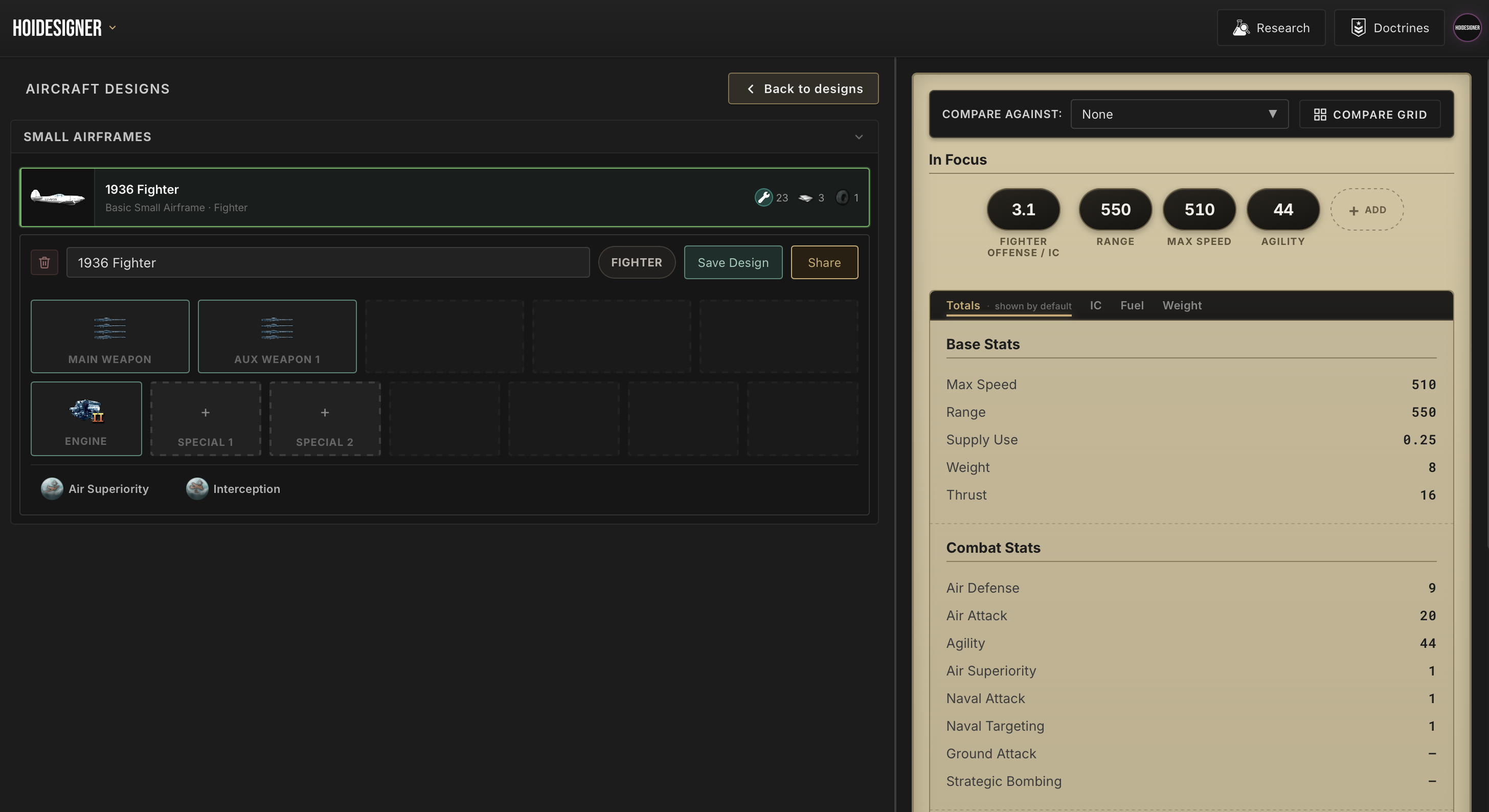
Adding the Aircraft Designer also meant making sure everything we've built up to this point integrated well with it: catalog sharing, shareable cards in the same format you've come to expect, and Library integration with annotations you can pull into comparisons anytime. The Aircraft Designer is a first-class citizen in Hoidesigner, not an afterthought bolted on at the end.
With this release, the core designers are complete. Land, sea, air, and you finally get a full view of on your whole army.
Air Doctrines
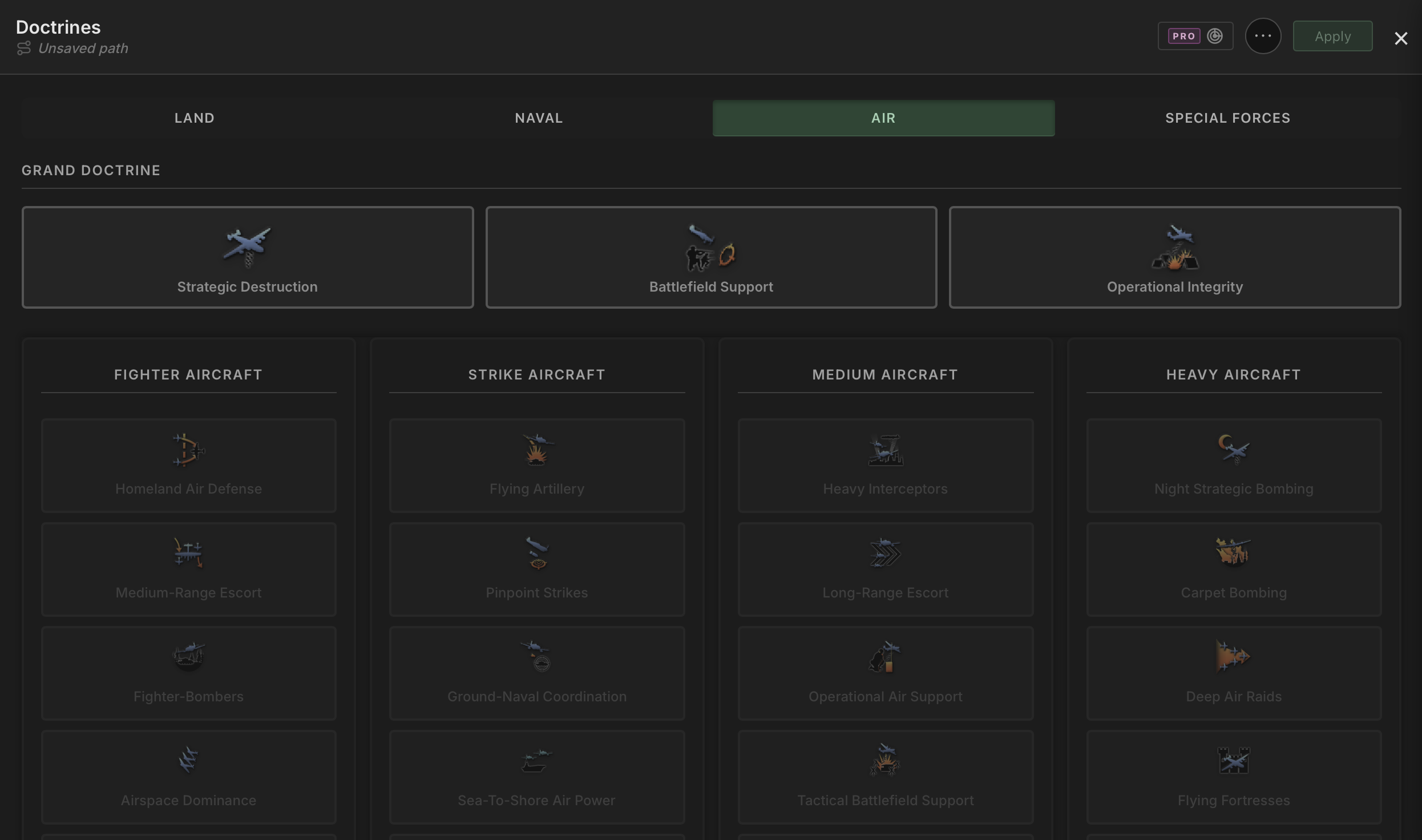
Alongside the designer, air doctrines are also fully implemented. All four trees are in: Strategic Destruction, Operational Integrity, Battlefield Support, and Trade Interdiction, built to match the same experience as the ground and naval doctrine trees already in the tool.
Plan your air doctrine path the same way you plan everything else, and see how your choices interact with your airframe builds directly. No more context switching between the tool and other sources to capture all the relevant pieces needed for your planning.
Research and Doctrine, Now in Order
Clear skies don't just mean you can see further. They also mean better visibility on what you've been through so far.
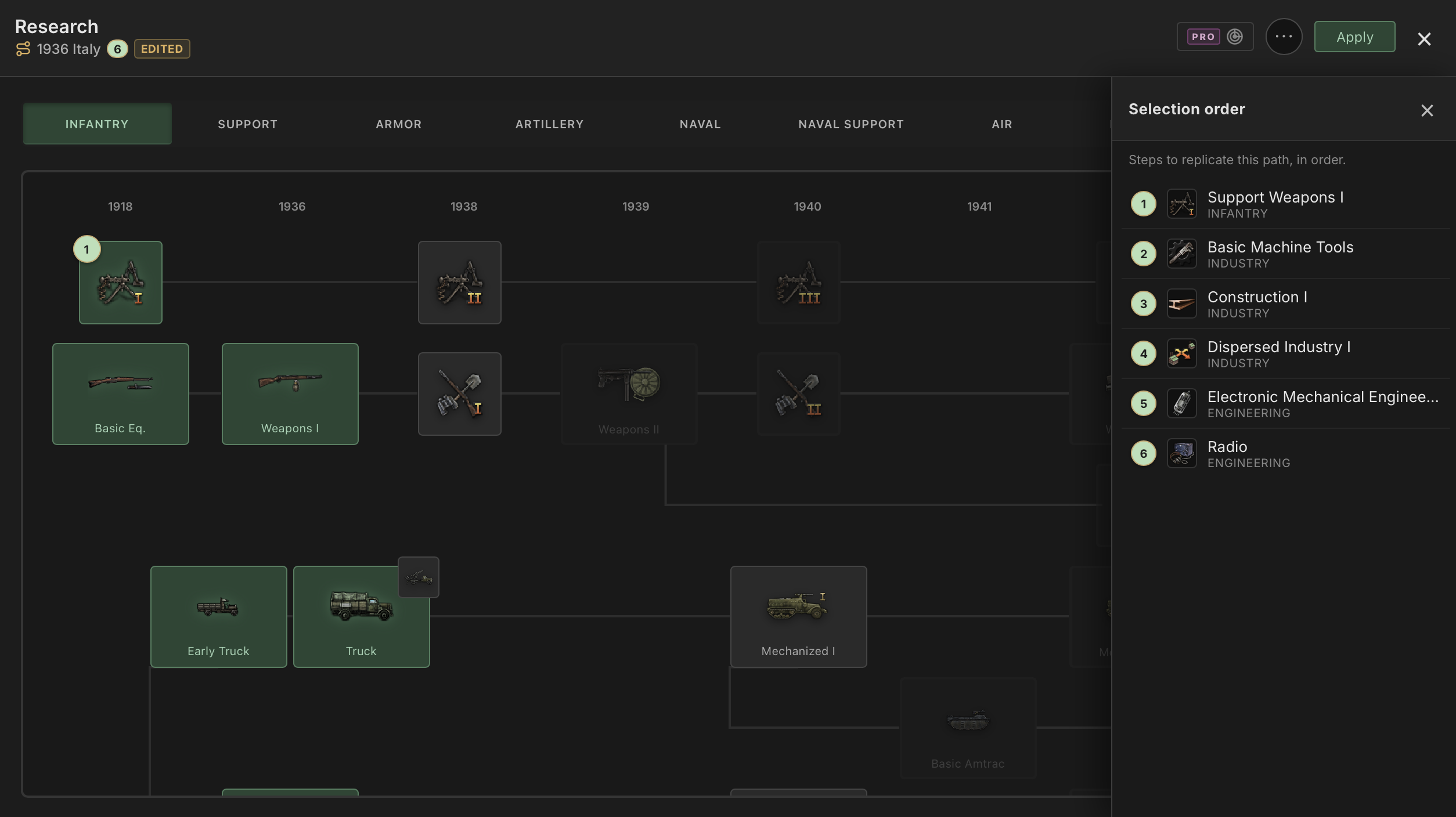
The research and doctrine views got a small but meaningful redesign. You now always know which path you're working on, and a new panel lays out your selections in the actual sequence you've picked so you can easily reproduce your plan in game. Instead of a static tree where everything looks equally available, your planned path reads as a flight plan: waypoint one, waypoint two, waypoint three. The way you actually think about it when you're executing your plan.
In practice, this improves the experience with the research trees and doctrines, since you can get a clear picture of how you've been planning your run so far. Say you just watched a YouTube guide breaking down a build order for your next MP game. Instead of scrubbing back through the video mid-match trying to remember what came after what, you lay the path out once in Hoidesigner and follow it step by step, exactly as intended.
Hoidesigner Pro
This release also ships a new tool for Hoidesigner Pro members: a way to make informed, calculated path decisions.
Path Scanner
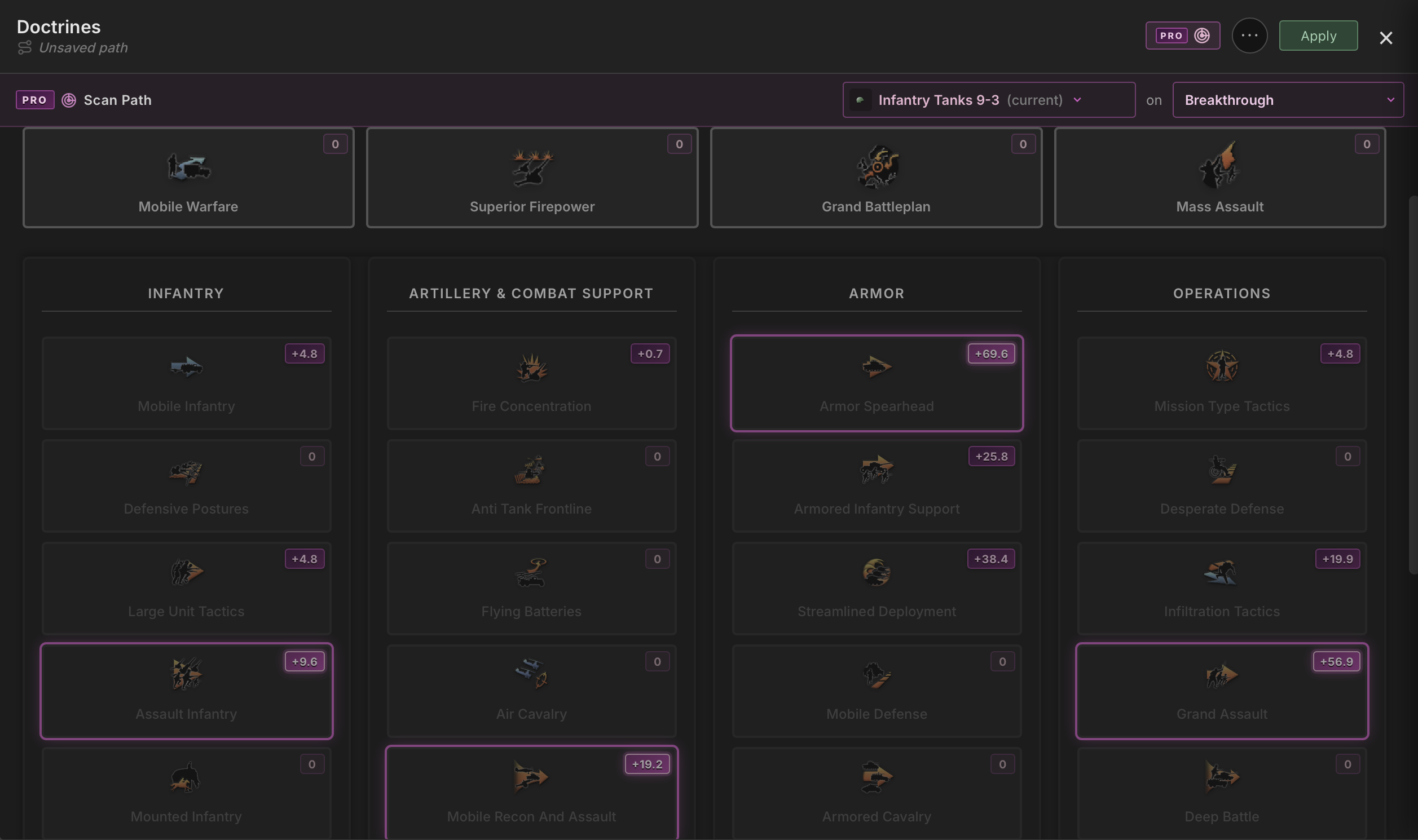
Path Scanner considers the build you're working on and highlights the research and doctrine picks that put you on the right path to optimizing the metric you're aiming for. Chasing soft attack or a custom indicator you've built? It will surface the next research and doctrine choice that moves that number the most. Turn on Path Scanner and let it assist you in making the right decision for the type of army you're going for.
It's the difference between knowing where you want to go and knowing exactly how to get there, one decision at a time, in the right order. And this is just the start: picture what Path Scanner can do once it's guiding you through even more complex trees, like MIOs.
What's Next
The different types of designers are all complete now: divisions, tanks, ships, and aircraft, and the skies are clear for us to plan our next course.
Since we left the shores, Hoidesigner has become a complete design tool to complement your HOI4 runs, one you can use to discuss tradeoffs with others on every decision that goes into building your templates. In the coming release, I'll be exploring improvements to the catalog to make it easier for users to navigate and find inspiration. I'll also be exploring MIOs, which a few members have been requesting since the start.
Hop onto Discord to follow progress, or just to talk builds and theorize about the perfect army for any given situation. Thanks for all the support so far, and I hope the tool has become a great reference for planning your HOI4 runs.
Until next time!